Bands Around The World guitar-pick logo

Bands Around The World · Proposal for Joe Lieberman

A polish built around the first win

Same app, same brand. A clearer path from first open to a user who keeps coming back.
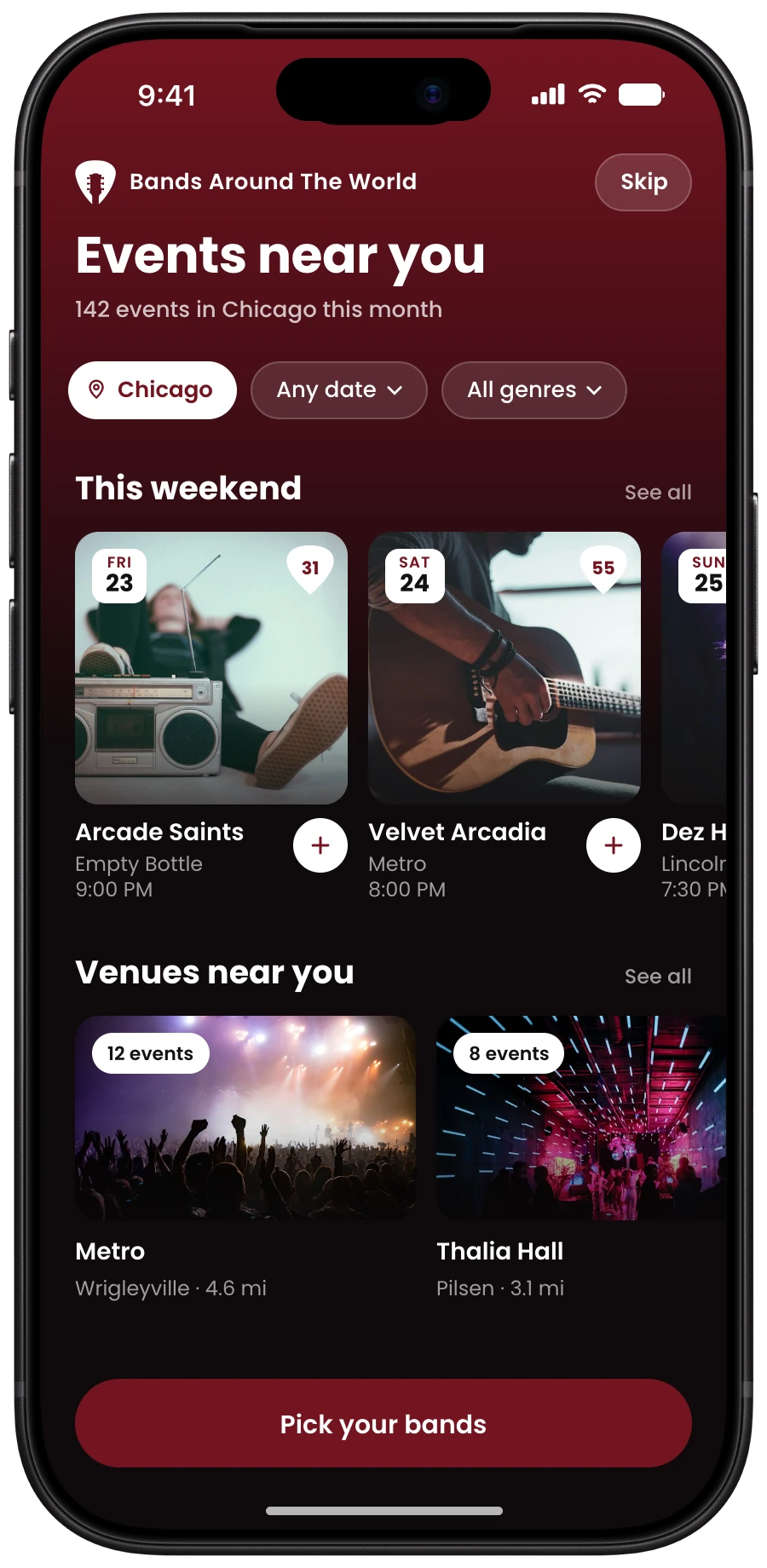
Polished Events near you screen on iPhone 18 Pro
ProCreativ

October 2026

The goal

Get a new user to a real event in their city in 30 seconds, then give them reasons to stay.

A polish, not a redesign

A better user experience with native Swift (iOS) navigation, built on top of your design system.

Accounts that get used

People sign up once they have bands and events to keep, so the account has a job from day one.

Current with iOS

The frame uses Apple’s own parts, so each iOS update doesn’t leave the app behind.

First win in 30 seconds

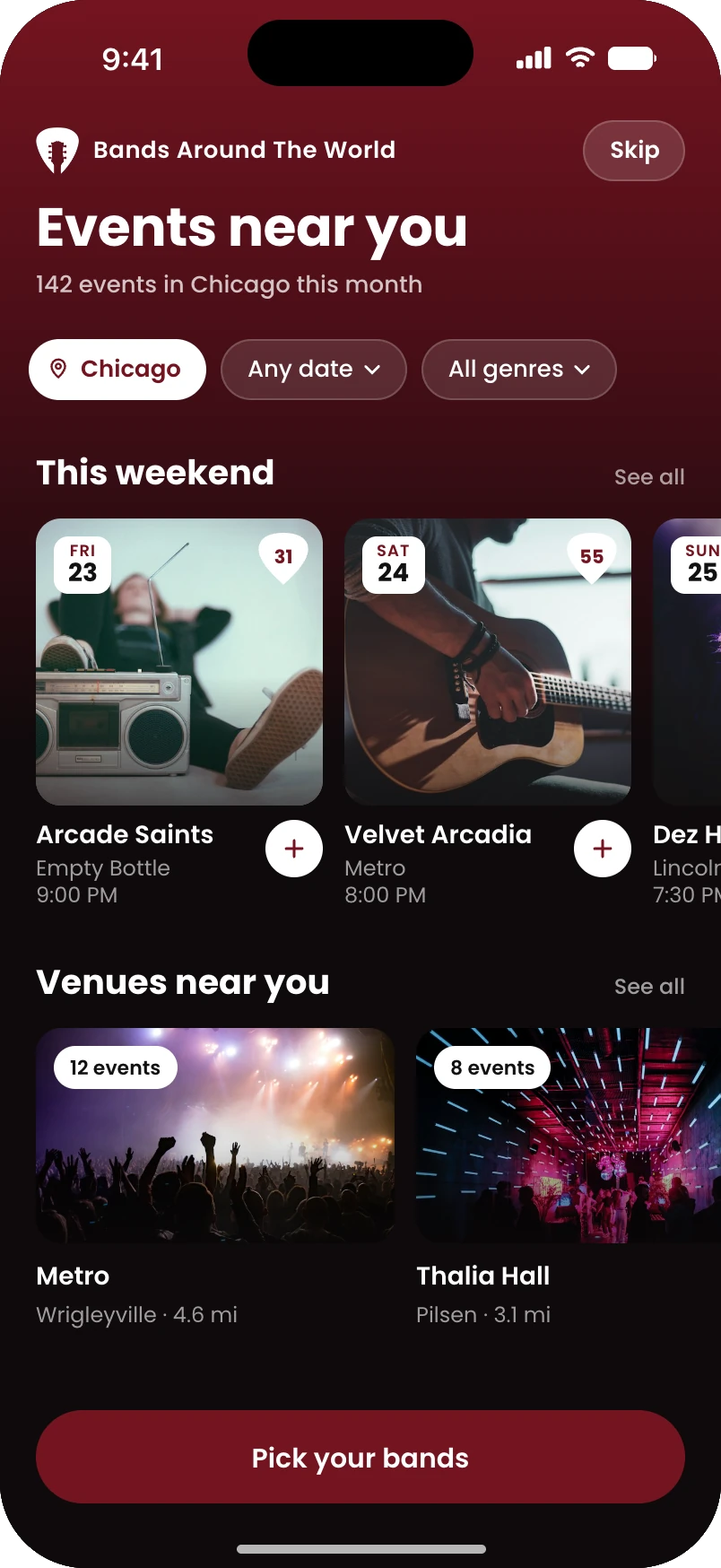
Events near you screen on iPhone 18 Pro

Where the app is today

A strong foundation, and everything that makes it yours

A clear identity

The burgundy rail, pick-shaped rows and the pick badge are already recognizable.

First visit ends empty

Sign-up can be skipped, but onboarding ends on an empty My Bands, before people see any events.

Learning by tutorial

A step-by-step tutorial explains each feature, but never has people use one.

What stays the same

Guitar-pick logo

The logo

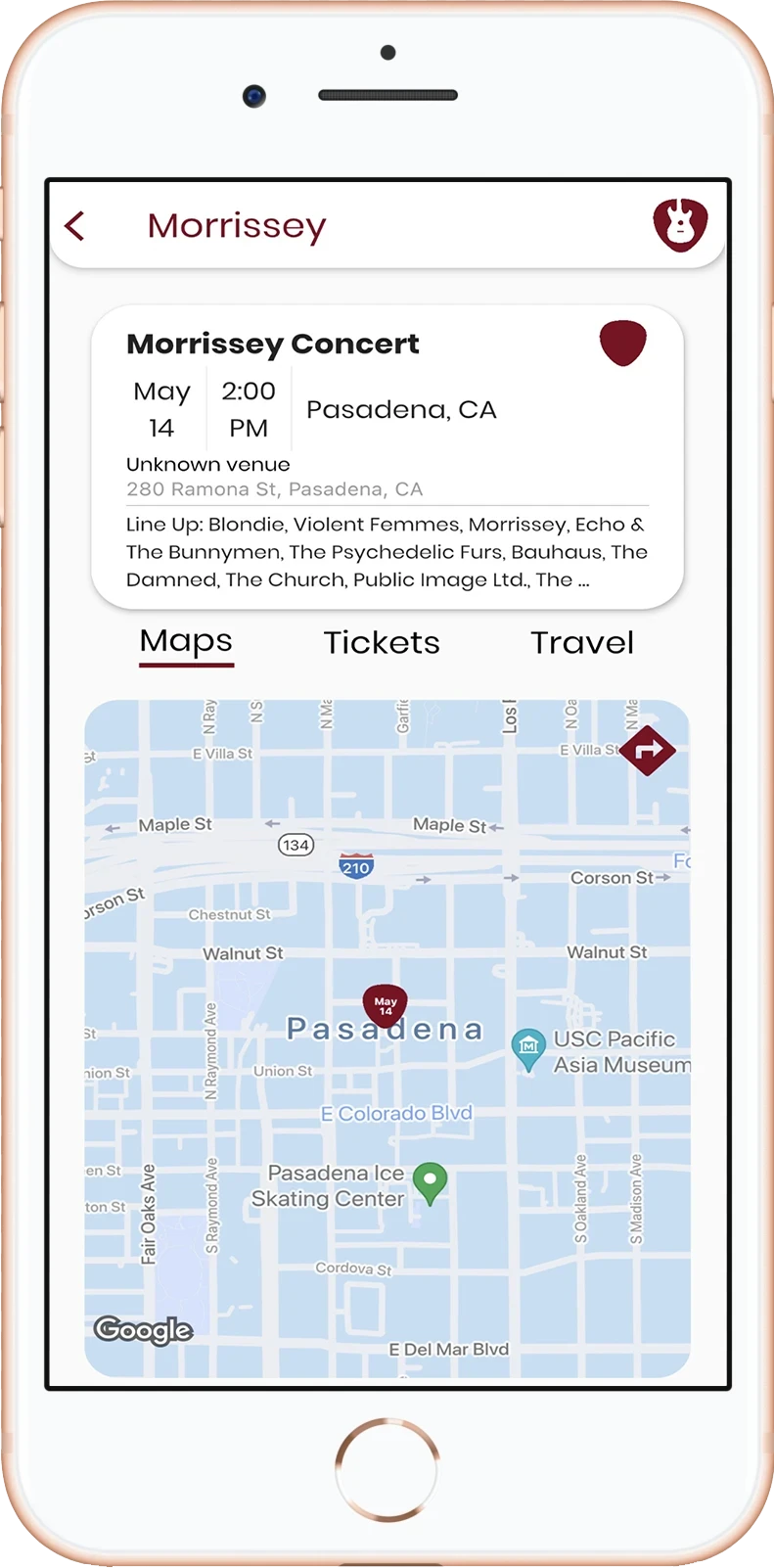
#741420

Aa

Poppins

Your Bands.
Your Way.

The tagline

55

The pick badge
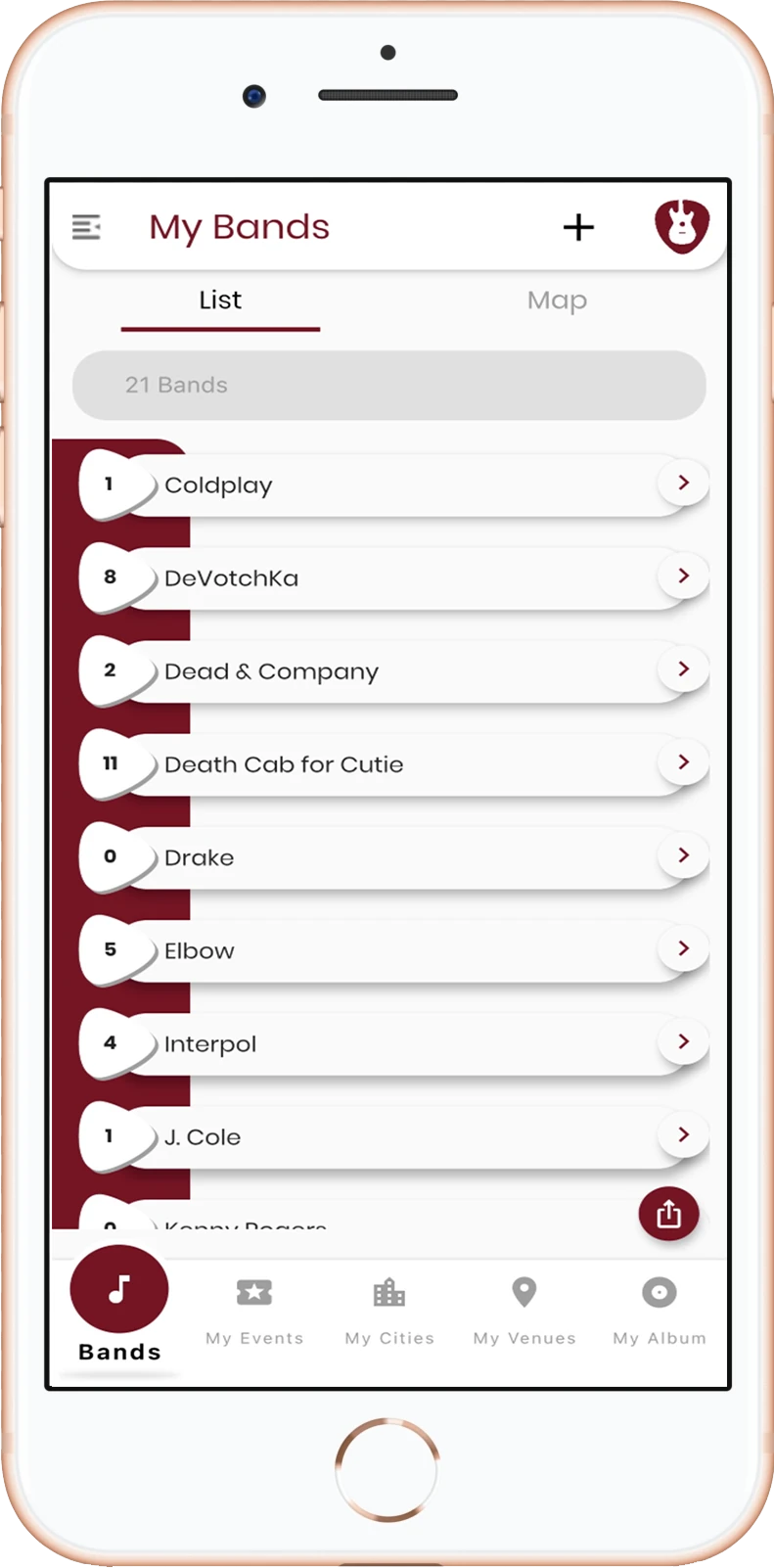
Current app, My Bands screen

My Bands

Current app, Event detail screen

Event detail

Why change the first few minutes

Today the first visit ends with nothing. The polish ends with real events.

Today

A tutorial, then an empty page. No events yet

Open

Skip sign-up

Tutorial

Empty My Bands

Search and add bands

First event

The polish

One tap to the first event. The account comes after they have something to keep

Allow location

Events near you

Pick your bands

Bands are coming

Save

Account, when earned

Telling isn’t doing

The tutorial explains the app before anyone has used it, and people have to remember it. Each polished screen teaches itself; the tutorial stays in the menu.

An empty page is where people leave

After the tutorial, a new user lands on an empty list and has to start from scratch. The first screen should already show them something.

Earned accounts get used

Once they’ve saved bands and events, the account has a purpose: keep the list, get the alerts. That’s the account you want in your dashboard.

The user journey · Steps 1 to 4

Four new screens, and nothing asked of the user
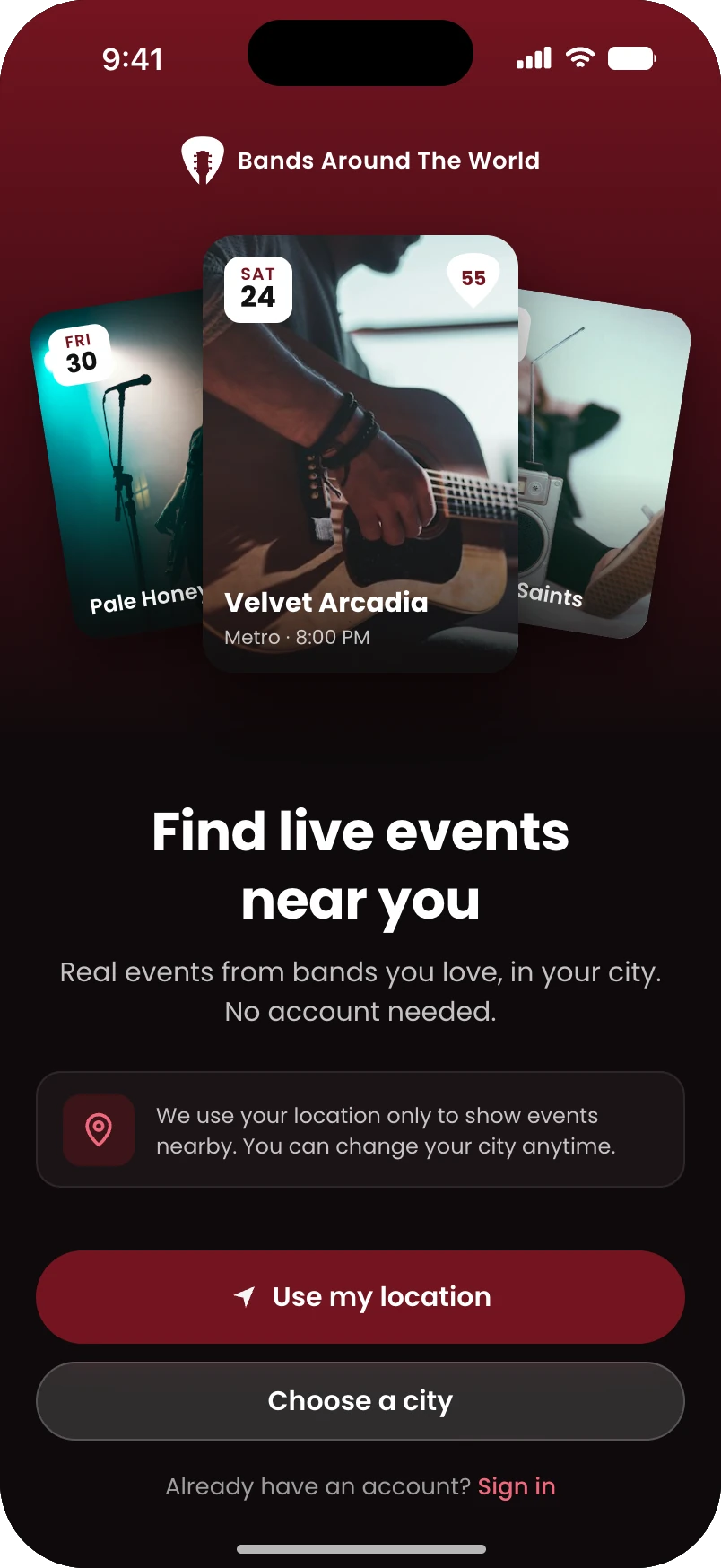
Step 1, First open
Step 2, Events near you
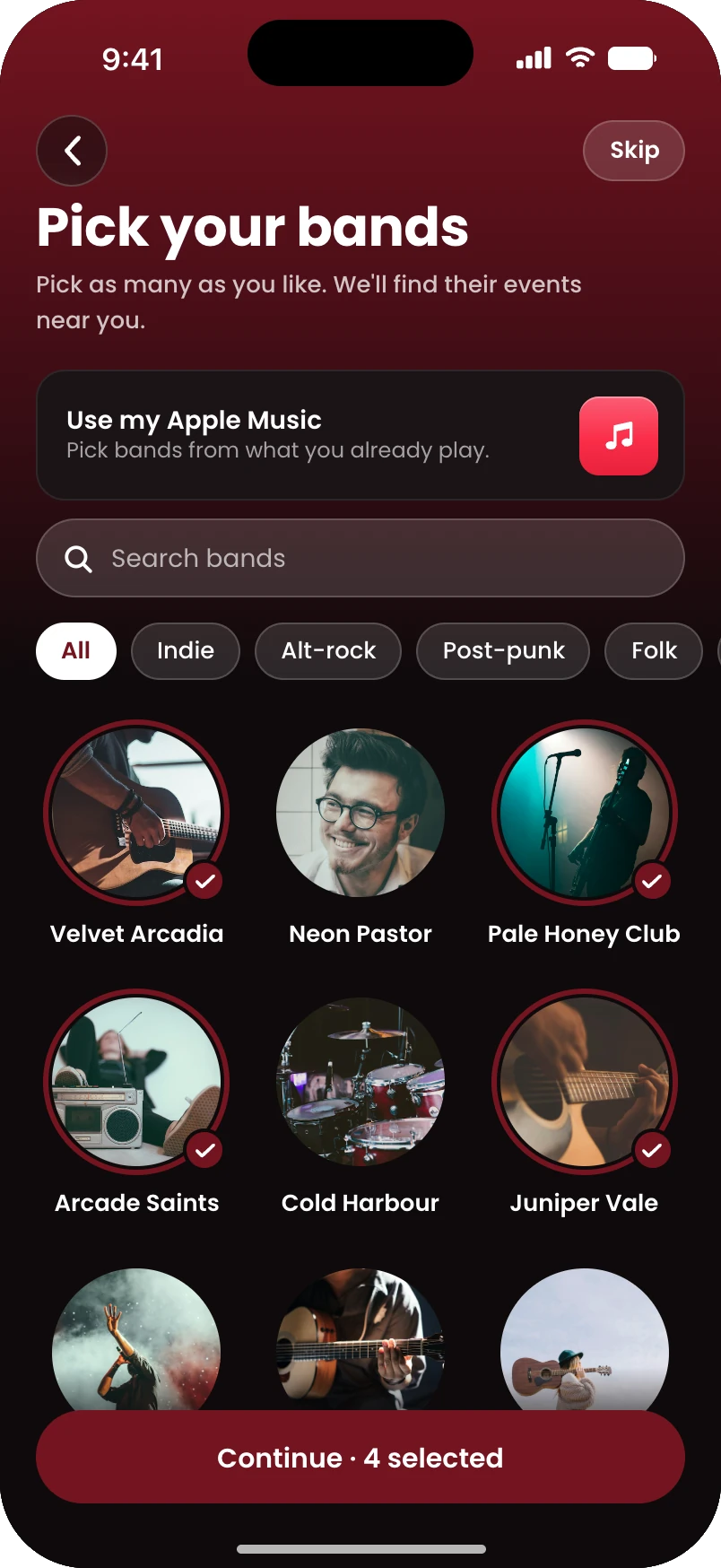
Step 3, Pick your bands
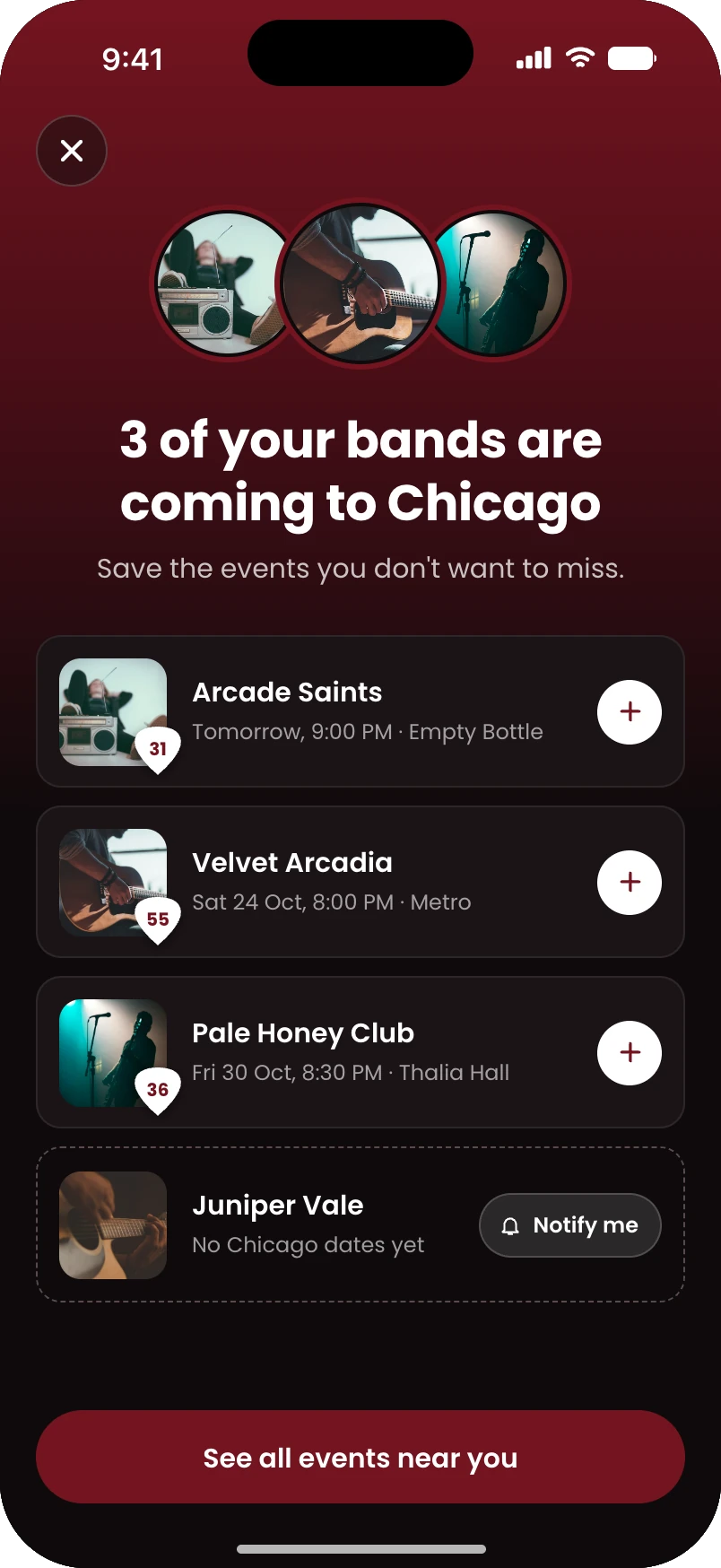
Step 4, Your bands are coming

1 · Open the app

New

Allow location or pick a city. No sign-up, no tutorial.

2 · Events near you

New

The first win: real events in their city, with one next step, the Pick your bands pill.

3 · Pick your bands

New

Search and pick any number, or import from Apple Music.

4 · Bands are coming

New

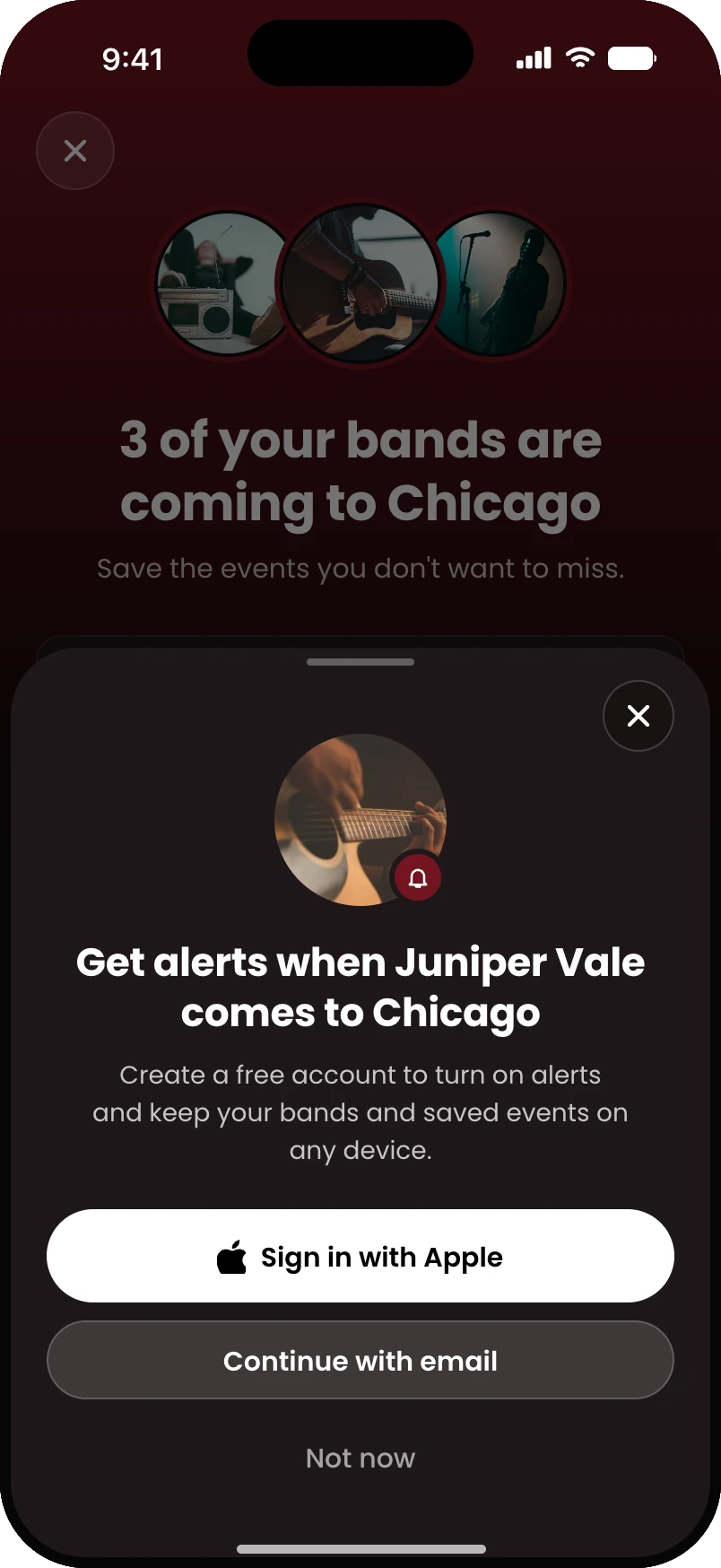
“3 of your bands are coming to Chicago.” If none are, similar bands and a Notify me button.

New screen

Polish of a screen you have today

Not an app screen

Steps 1 to 5 need no account. The tutorial moves to the menu.

The user journey · Steps 5 to 7

Save, then the account, then the reasons to come back
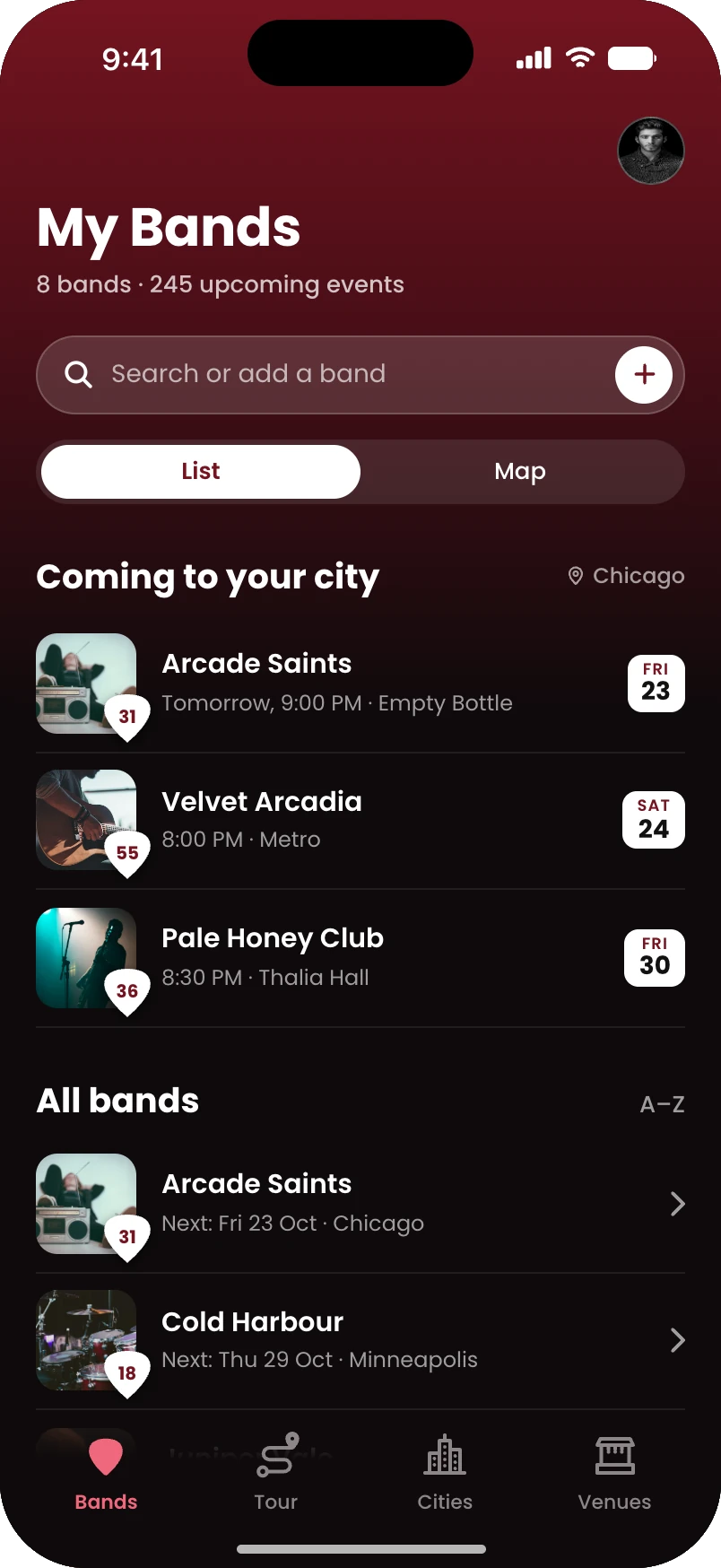
Step 5, My Bands
Step 6, Create account sheet

Bands Around The World · now

The National is 2 weeks away. Kansas City, The Truman.

5 · Save and follow

Polish

Saved events and followed bands are kept on the phone. My Bands shows “Coming to your city” first. Still no account.

6 · Create an account

Polish

Your Sign Up / Login, now asked only when they tap Notify me or Save. Not now keeps everything on the phone.

7 · Alerts bring them back

Alert

Your spec: 2 weeks and 1 week before a saved event, plus new dates and tickets on sale.

New screen

Polish of a screen you have today

Not an app screen

Steps 1 to 5 need no account. The tutorial moves to the menu.

Steps 1 to 4

From first open to their bands, nearby

Step 1, First open screen

1 · First open

Location, no sign-up

Step 2, Events near you screen

2 · Events near you

First win, one next step

Step 3, Pick your bands screen

3 · Pick your bands

Any number, or Apple Music

Step 4, Your bands are coming screen

4 · Bands are coming

The big moment

Steps 4 to 6

Every path ends in a win, then an account
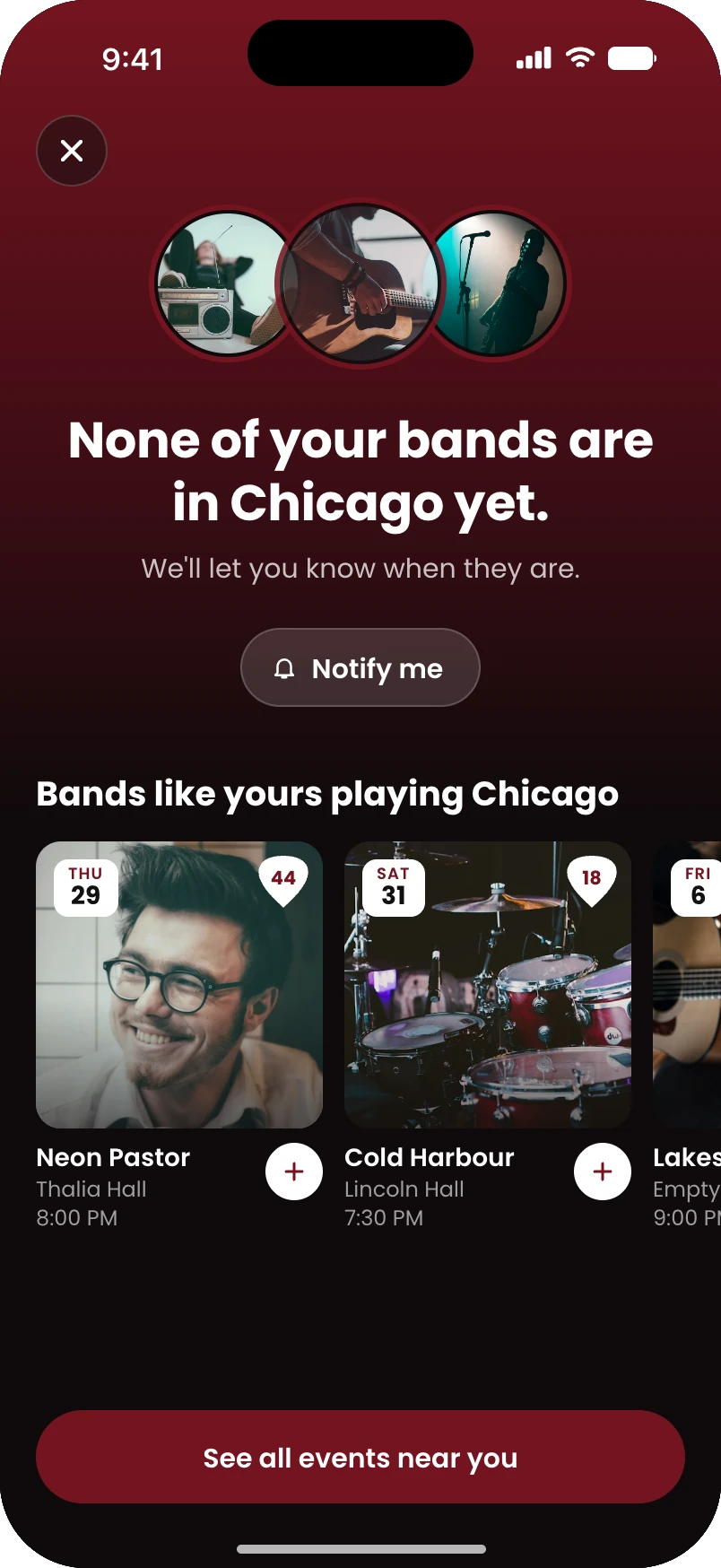
Step 4, none of your bands nearby screen

4 · None nearby

Never an empty screen

Step 5, My Bands screen

5 · My Bands

Their city comes first
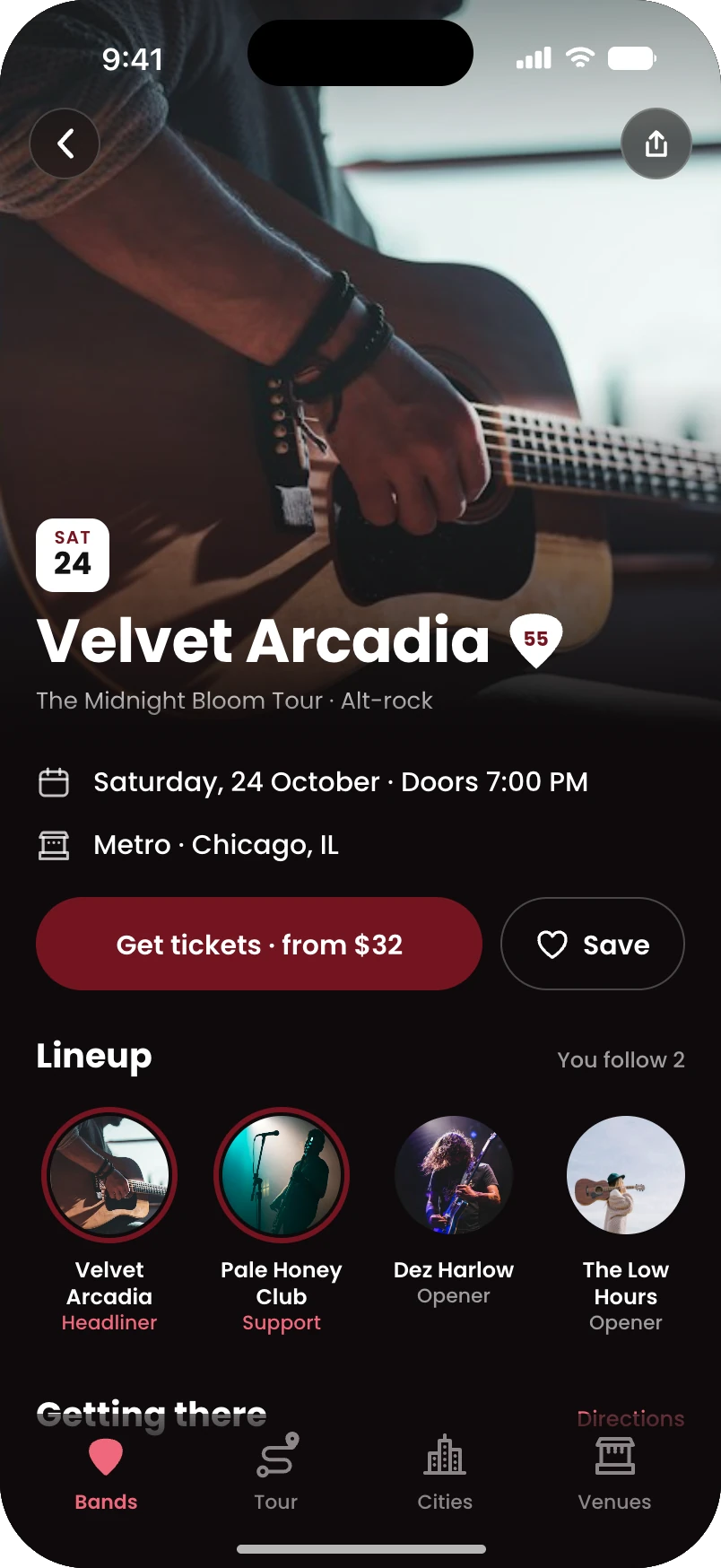
Step 5, Event detail screen

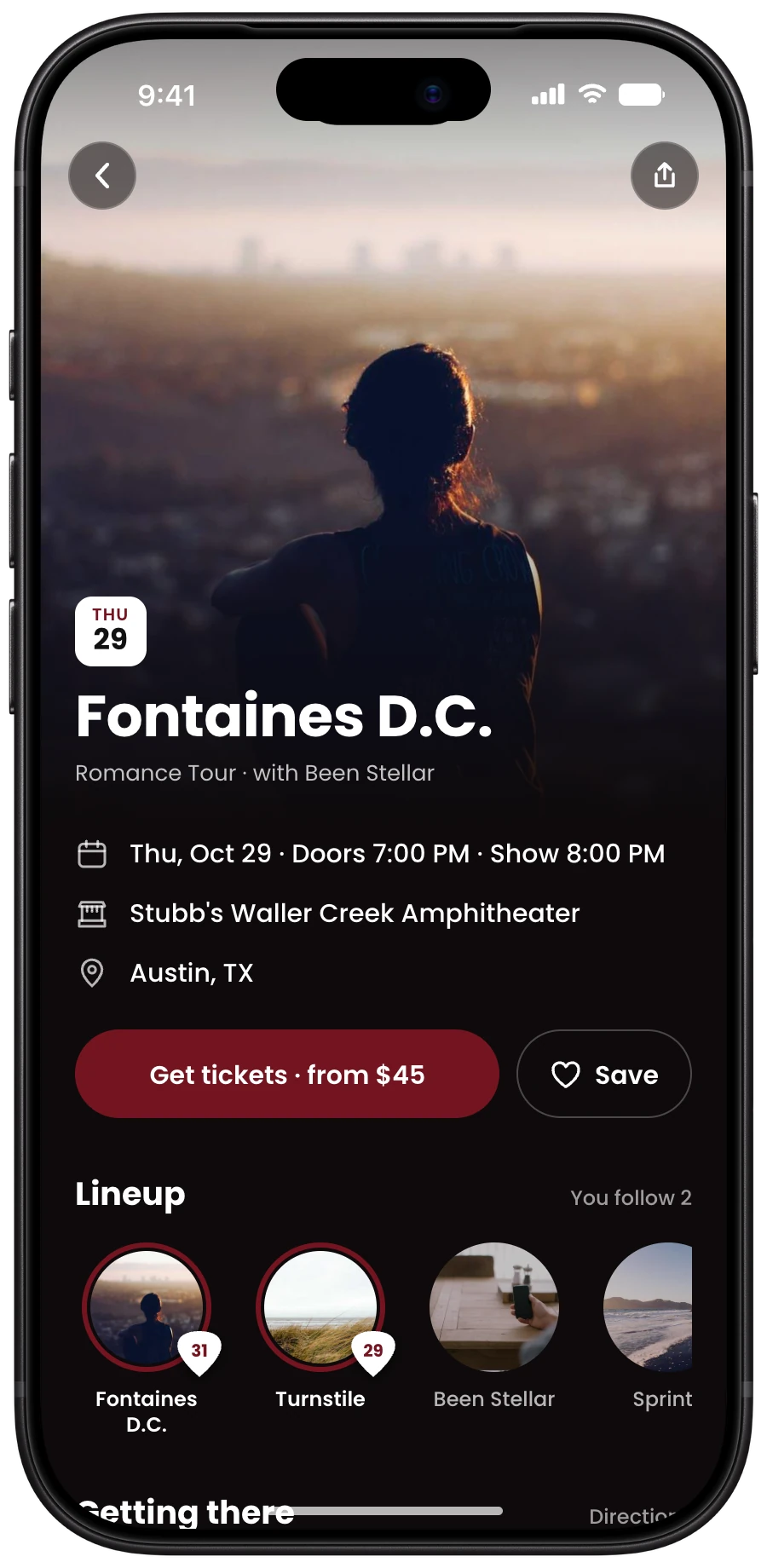
5 · Event detail

Tickets lead

Step 6, Create account sheet

6 · Create account

Asked when it’s earned

A preview

One screen, dark or light

Our recommendation is dark: it’s where live music lives, and your burgundy reads richer on black. Light keeps the feel of the app you have today.

Same brand, same layout, same pick badge. One theme is included, your choice. Both is an add-on.

Tap through the new journey yourself.
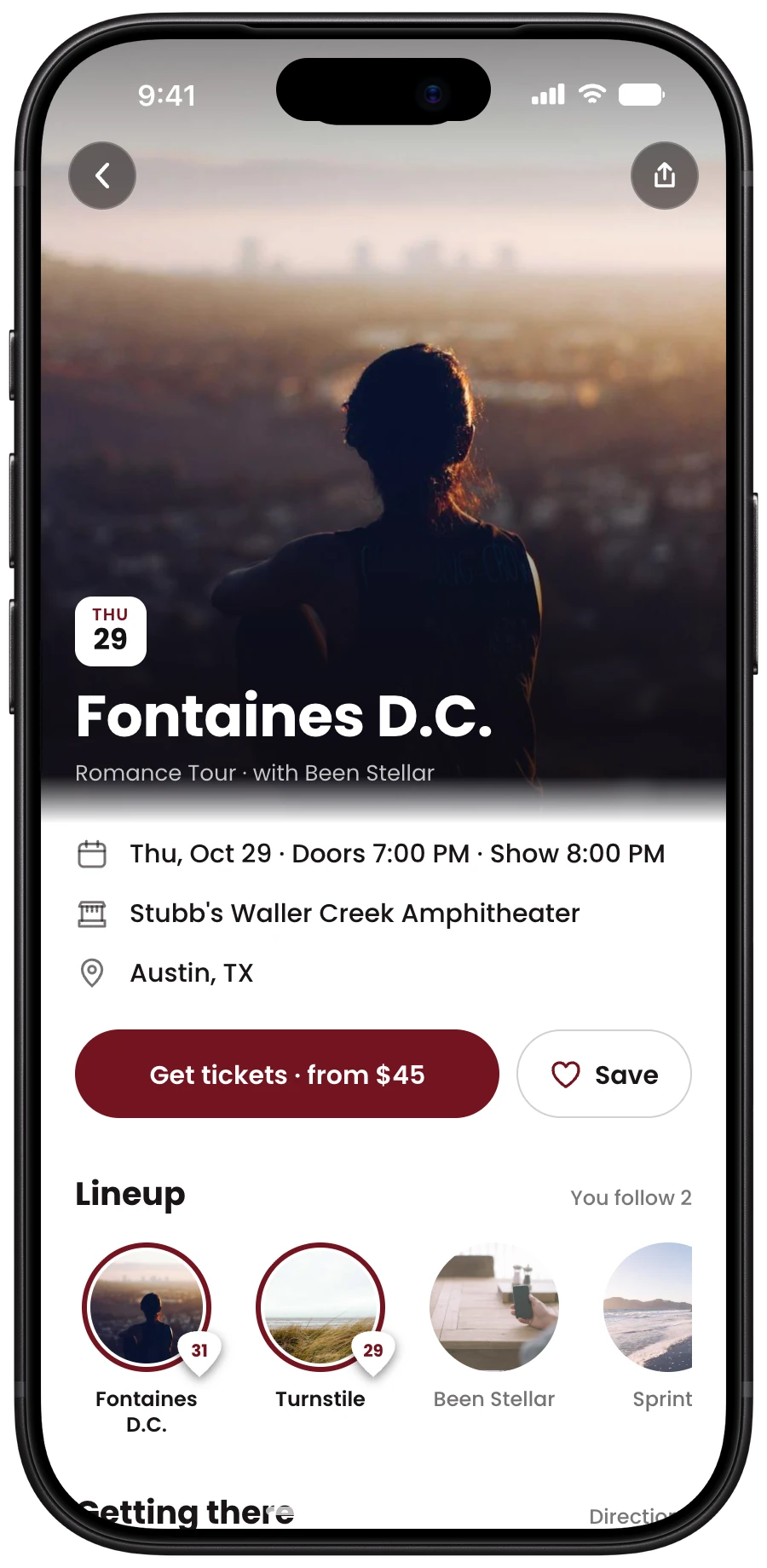
Event detail screen in light mode on iPhone 18 Pro Event detail screen in dark mode on iPhone 18 Pro

Why now

Every iOS update makes custom-built parts look more out of place

Custom-built parts

  • Fall further out of date with each iOS release
  • Need paid rework to catch up
  • Feel unfamiliar next to the apps people use daily

Apple’s native parts

  • Pick up each new iOS look on their own
  • Bring text sizing, VoiceOver and familiar gestures
  • Keep the app current without a redesign

Android gets the same treatment with Google’s own parts, quoted after the audit.

Apple requires a Delete account option once accounts exist; it’s built in. Apple’s developer fee ($99 a year), hosting and email stay in your name and are paid by you.

Scope and investment

One goal, two paths

Native iOS navigation built on your existing design system. Start with a short audit, then choose the path that fits.

Required first

Technical audit and 
ownership review

Included in both tiers · 2–4 business days

Every repository, account, API key and bill inventoried in plain English: who holds what, what moves into your name, what’s at risk under iOS 27. A GitHub organization set up with you as owner. Fixed prices confirmed from what we find. Both tiers are iOS only; Android is quoted separately after the audit. Spotify is closed to new apps, so Apple Music is the import.

Tier 1 · iOS · 6 weeks

First-win flow

The new user journey, designed and built

  • The 7 journey screens designed in Figma, in the theme you choose (3 rounds of revisions), and built
  • Your four tabs moved onto Apple’s native navigation: tab bar, nav bar and search, on live Ticketmaster events
  • Account asked only on Notify me or Save; Not now keeps everything; Delete account built in; your current login still works
  • Get tickets earns your affiliate commission; code in a GitHub organization you own; TestFlight builds to your phone
  • App Store submission, your choice: we handle it, or your developer does

$10,470

Tier 2 · iOS · 11 weeks

Full journey, launched

Everything in Tier 1, plus

  • Your four tabs fully rebuilt in the same style as the journey
  • Admin dashboard connected: Messages, Stats, Users, and where new users drop off
  • Monthly / Annual / Free billing via In-App Purchase, with promo codes; push and email alerts per your spec
  • Apple Music import on Pick your bands, alongside manual search
  • App Store submission, handoff document, 45 days of support

$23,960

How we work

You own everything from day one

Ownership

The code lives in a GitHub organization in your name. Apple and Google accounts stay yours. We work as collaborators you can remove any day.

Payment

50% to start, which covers the audit, and 50% at handoff. The audit is included in both tiers. Prices valid for 30 days.

No surprises

Anything outside the written scope is quoted before it’s built. If the audit changes the picture, we re-quote and you decide.

What happens next

This week

You pick a tier. We send the written scope to sign.

Week 1

The audit. You get the inventory, access map and health report.

Week 2

Fixed price confirmed, everything in your name, build starts.

Every week after

A TestFlight build on your phone and a short written update.

1 / 12